If you don't want a merchant to charge your card anymore, you can block it directly from the app. Online card payments from a blocked merchant will be declined.
How does blocking a merchant work?
It applies to all your cards: blocking works at an account level, not a card level. Once you block a merchant, it can't charge any of your ARQ cards.
You can unblock it anytime: if you change your mind, you can unblock the merchant whenever you want and its payments will be processed normally again.
How to block a merchant
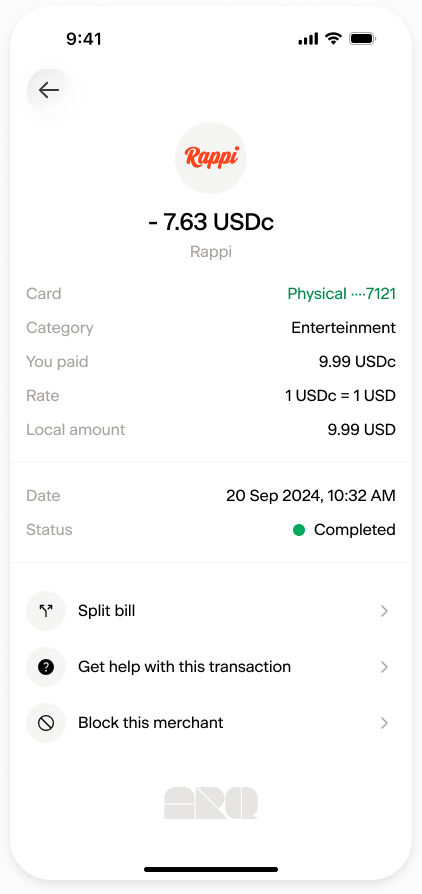
Open the details of a card payment from the merchant you want to block.
Tap Block this merchant.
Confirm by tapping Yes, block card payments.
How to unblock a merchant
Go to Profile.
Tap Security and privacy.
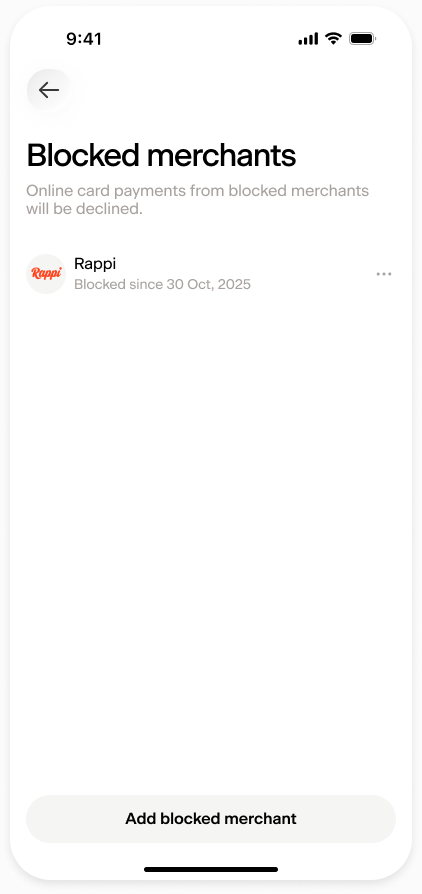
Tap Blocked merchants.
Tap the merchant you want to unblock and confirm by tapping Yes, unblock card payments.
Important: cancel subscriptions directly with the merchant
Some merchants may try to charge your card using a different merchant name. When this happens, we might not be able to identify it as the merchant you blocked, and the payment may not be declined.
If the payments come from an active subscription, it's always better and safer to cancel the subscription directly with the merchant.
