Canva Pro is Canva’s individual premium plan, with advanced features like Brand Kit, background remover, and Magic Resize, plus AI tools (Magic Studio). In Mexico, it offers monthly or annual billing and often includes a 30-day free trial.
Do you try free design pages, but they fall short when you need them the most? Switch to Canva Pro, the paid subscription of one of the most popular platforms for creating attractive visual content.
With this plan, you’ll have unlimited access to Canva’s resources. Plus, it’s powered by artificial intelligence and is available in Mexico.
So, stick around and discover in this article what Canva Pro is, what its features are, and its advantages compared to the free version. You’ll also find the steps to start using it and how to get the most out of its best tools.
Canva Pro: What it is, how much it costs, and differences with other versions
Key points:
What is it? It’s Canva’s individual premium plan that offers access to exclusive content and AI features.
Who is it for? Freelancers, content creators, professionals, and individuals seeking speed, consistency, and a professional image.
The best part: Brand Kit, background remover, magic resize, and the power of Magic Studio.
Price in Mexico: MX$150 a month (October 2026), with savings from 16% on annual billing and a free trial. Check updated pricing here.
What is Canva Pro, and who is it for?
It’s the paid version of the Canva platform that gives you unlimited access to its features and tools. It’s a versatile option designed for anyone or any business looking to optimize their creative process, including:
Exclusive Canva Pro features that make the difference
Canva is one of the best platforms for creating infographics or other types of visual layouts. And its Pro Plan unlocks advanced features that allow you to create higher-quality designs in less time.
Brand Kit. Save and apply logos, images, color palettes, fonts, and more, maintaining brand identity across all designs.
Magic Resize. Transform your designs into multiple formats (Instagram, Reels, presentations, posters) in seconds.
Background Remover. Remove backgrounds from your own images or those in the library with a single click.
Magic Animation. Add animations and transitions to your designs to bring them to life.
Unlimited Premium Library. Access more than 100 million photos, fonts, videos, graphics, audio files, and templates without restrictions.
Content Planner. Manage your social media directly from Canva by scheduling and publishing at the right time.
Magic Studio (AI). Integrates smart features to automatically generate designs, texts, images, and animations.
Among them:
Magic Design: Generate designs based on text descriptions or multimedia files.
Magic Write: Create text content.
Magic Edit or Magic Eraser: Intuitively modify images.
Magic Animate: Animate your designs.
Overall, Canva Pro offers more than 25 AI-powered tools and the key resources to deliver professional results.
Canva Pro: Price and free trial
According to Canva's Mexico pricing page (October 2026), Canva Pro costs MX$150 a month for one person, and annual billing saves from 16%. Prices can change over time.
Check the official Mexico pricing page for current prices. There you can also start a free Canva Pro trial if you haven't had one before.
Where to manage Canva Pro payments and billing?
If you plan to subscribe to Canva Pro, you’ll be able to manage payments in the “Billing” section of your account. But if you want more details or have specific questions, go to the platform’s help center.
Canva Free vs. Canva Pro
This platform enjoys great popularity for many reasons, one of them being its plans. It offers free options and subscriptions available for all needs—it even has Canva for students.
The table compares Canva Free and Canva Pro. Canva Teams is no longer open to new sign-ups or upgrades.
Feature
Free
Pro
Content library
Limited
Full premium library
Brand Kit
Basic
Yes
Magic Resize
No
Yes
Background remover
No
Yes
Content Planner
No
Yes
Cloud storage
5 GB
100 GB
AI tools
Limited
Up to 10x more than Free
While the basic version of Canva allows you to create effective, creative presentations, the premium plan offers better tools and unlimited access.
If several people need to work together with shared permissions, check the business plans on Canva's pricing page, since Canva Teams no longer accepts new subscriptions.
How to start using Canva Pro?
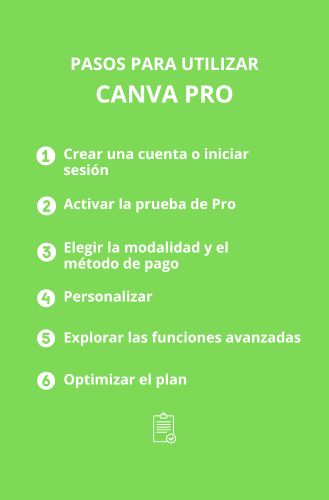
The process is very simple:
Create an account or log in. Go tohttps://www.canva.com/ and click the “Sign up” button in the top right corner. You can access with your Facebook, Google, or email account. If you already have an account, just log in.
Activate the Canva Pro free trial. Look in the main menu for a button that says “Upgrade” or “Try Pro for free” and click. If you already had a trial period or a recent Pro subscription, you may not be eligible. In that case, you won’t see the option available.
Choose the plan type and payment method. Decide whether to pay month to month or take advantage of the annual plan, which is usually cheaper on average. Additionally, weekly and daily plans may also appear. Then, choose an available payment method.
Start customizing. Set up your Brand Kit with your personal brand’s logo, colors, and fonts. Here you have the option to: do it from scratch or upload your own assets, save your favorite templates and organize your workspace.
Explore advanced features. If you’re just getting started, try Magic Studio (AI), which comes with several tools powered by artificial intelligence. These resources are there to make it easier for you to create designs tailored to your needs. Don’t hesitate to take advantage of these Canva resources for logos, drawings, and even 3D art. They’re ideal for any real project you want to personalize with AI.
Optimize your plan. If you try Canva Pro and find it’s exactly what you’re looking for, switch to annual billing to save in the long run.
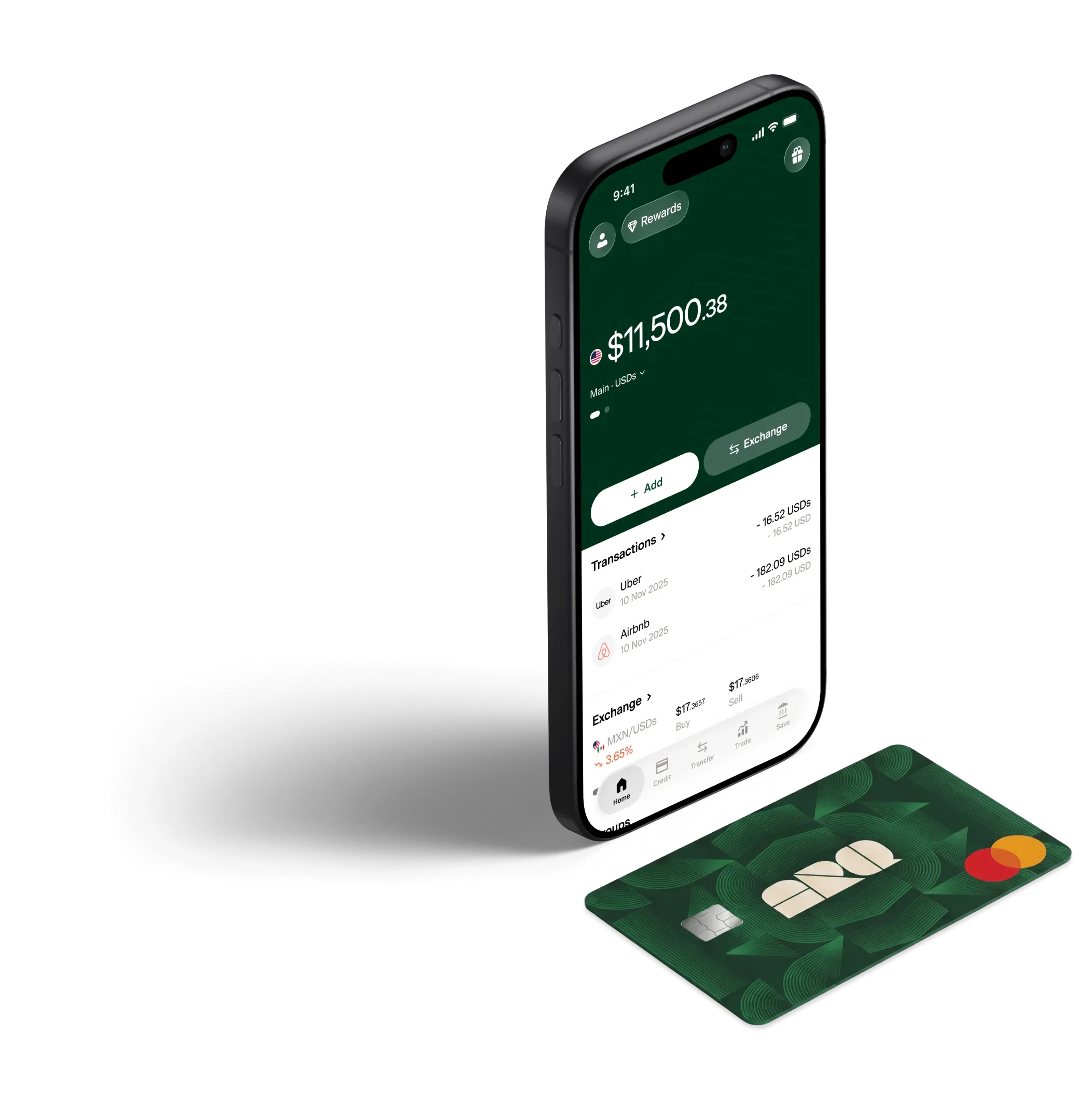
To pay for Canva Pro, you can use ARQCard from ARQ, as it accepts Mastercard. ARQCard works with pesos, digital dollars, and digital euros, so you can also pay in USD if you prefer.
From the app, you can convert your balance between currencies at a competitive exchange rate.
High-impact use cases
Each Canva Pro feature can be useful in different work and content creation scenarios.
Here are examples:
Social media. One week of posts in just 30 minutes with Magic Design + Magic Resize.
Executive presentations. Consistency guaranteed with the Brand Kit and the correct format adaptation using Magic Switch.
Infographics and portfolios. Take advantage of Canva for infographics and portfolios by combining premium templates with consistent palettes.
In short, with Canva Pro in your daily life, you can complete tasks that used to take hours in just minutes. Thousands of premium templates let you use Canva to create presentations, invitations, social media designs, or any other type of visual content. But most importantly, it saves you time, and you don’t need to be a design expert.
Frequently Asked Questions
How much does Canva Pro cost in Mexico, and what does the free trial include?
MX$150 a month for one person (October 2026), with savings from 16% on annual billing. Check the official page for current prices. The free trial gives you full access to Pro features during the trial period.
What’s the difference between Canva Free and Canva Pro?
Canva Free offers limited features and AI, and 5 GB of storage. Canva Pro is an individual plan that unlocks the premium library, Brand Kit, Magic Resize, the background remover and 100 GB of storage. Canva Teams no longer accepts new sign-ups.
What AI tools does Canva Pro include?
It includes a set of magic tools: writing, editing, eraser, animation, and Magic Switch. Each of them is designed to save you time and achieve impactful visual results in your designs.
How can I cancel or change my Canva Pro subscription?
Canva Pro subscriptions are managed through the “Billing and plans” section of your account. That’s where you handle cancellations, switch between plan types, change payment methods, or modify your plan.
Your bank would hate if you saw our rates.
Get digital dollars and digital euros in seconds, at real market rates. Without hidden fees.