Transfer your balance from your Bank of America account to ARQ in simple steps
Steps to Transfer Funds:
Log into your Bank of America account.
It’s recommended to link your accounts via the website. Once you complete this, you’ll be able to send your balance directly from the app if you prefer.
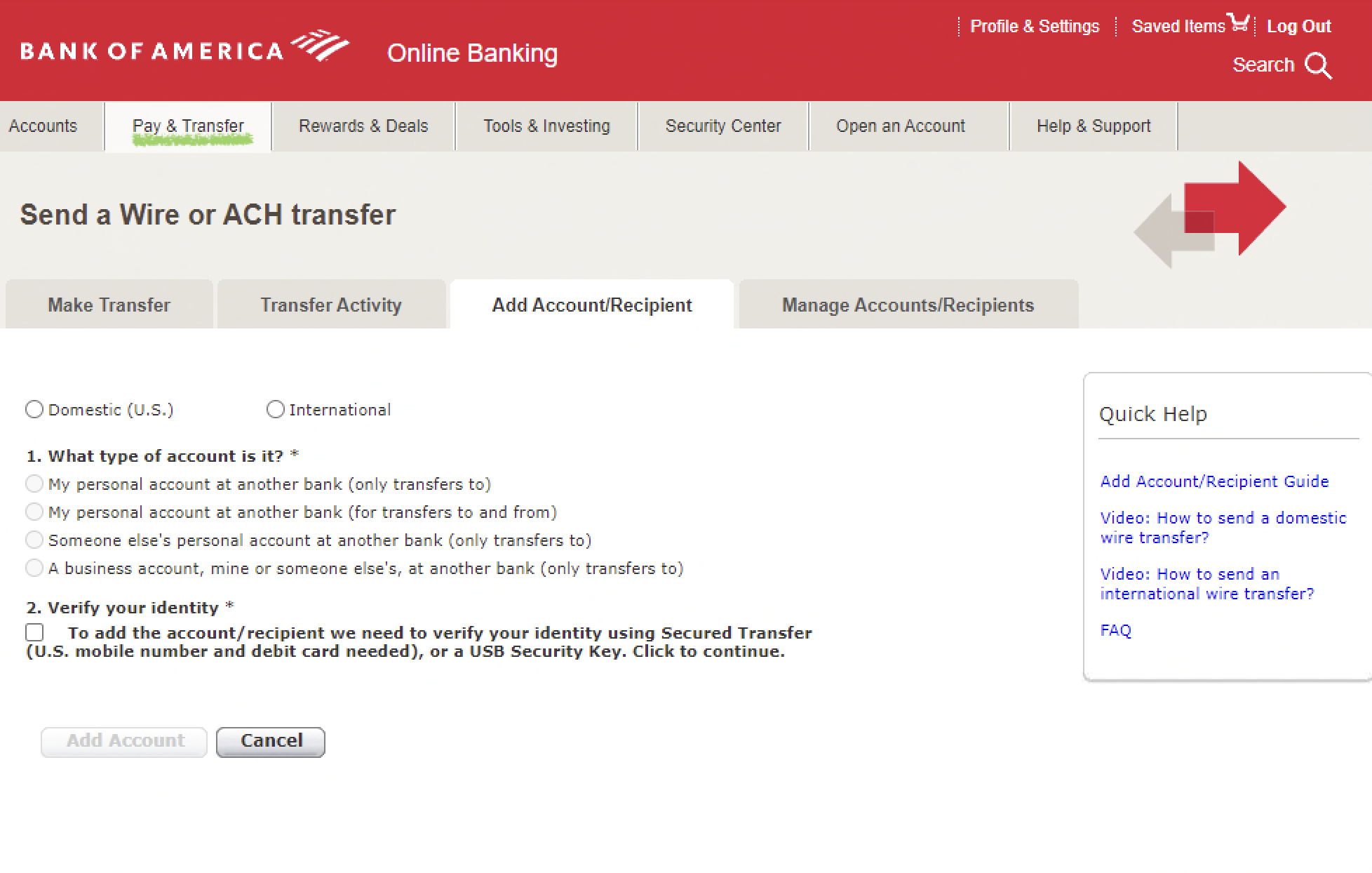
Add the recipient account:
Click on "Add account."
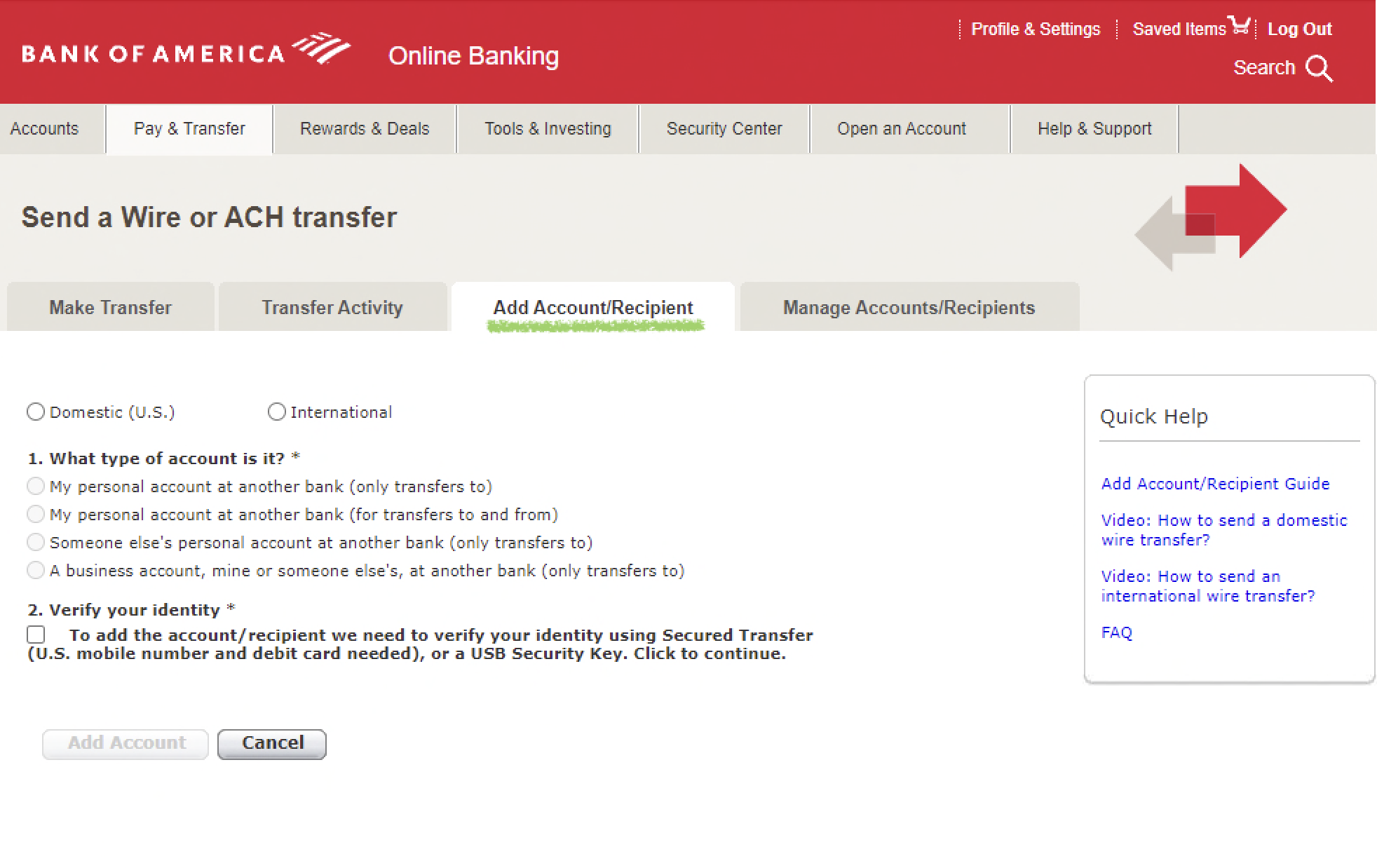
Select the type of transaction:
ACH would be Domestic (U.S.).
WIRE would be International.
Find the Bank Details in your ARQ app:
Open the ARQ app.
In the bottom menu, select the "Receive" tab and then "Dollars."
Complete U.S. Account Verification (if you haven’t done so already).
Note: The account type is "Checking."
Enter the Bank Details in Bank of America:
Enter the account number, routing number, and other banking details for your U.S. account.
Verify that all details are correct.
Click on "Confirm."
Processing Time:
ACH transfers can take between 3 to 6 business days.
WIRE transfers typically complete within a maximum of 48 business hours.
Questions or Issues? If you need help, contact our support team through:
The chat available in the app.
Email: help@arqfinance.com
Ready! Now you can easily send your balance from Bank of America to your ARQ account.